
Beginners Guide
SqueejCraft is Java compatible only
You can purchase the Java version of Minecraft here:
https://www.minecraft.net/en-us/store/minecraft-java-edition
SqueejCraft is a Semi-Vanilla SMP server
This means the server is very similiar to the single player survival experience, however it features a few extra tools for navigating the world, protecting land, managing mobs and trading items
How to connect, for beginners
Server IP address: squeejcraft.com
Step 1: After launching the game, click the Multiplayer Tab
Step 2: Click Add Server on the bottom of the screen
Step 3: Fill out the information as seen below, then click done. You can enter anything as the Server Name, but the Server Address must be squeejcraft.com
Step 4: Once complete, the server will now show up on your server list. Simply double click it anytime you'd like to connect, or you can click it once, then click 'Join Server'. Alternatively, you can also click the right-pointing arrow that's on top of the server icon.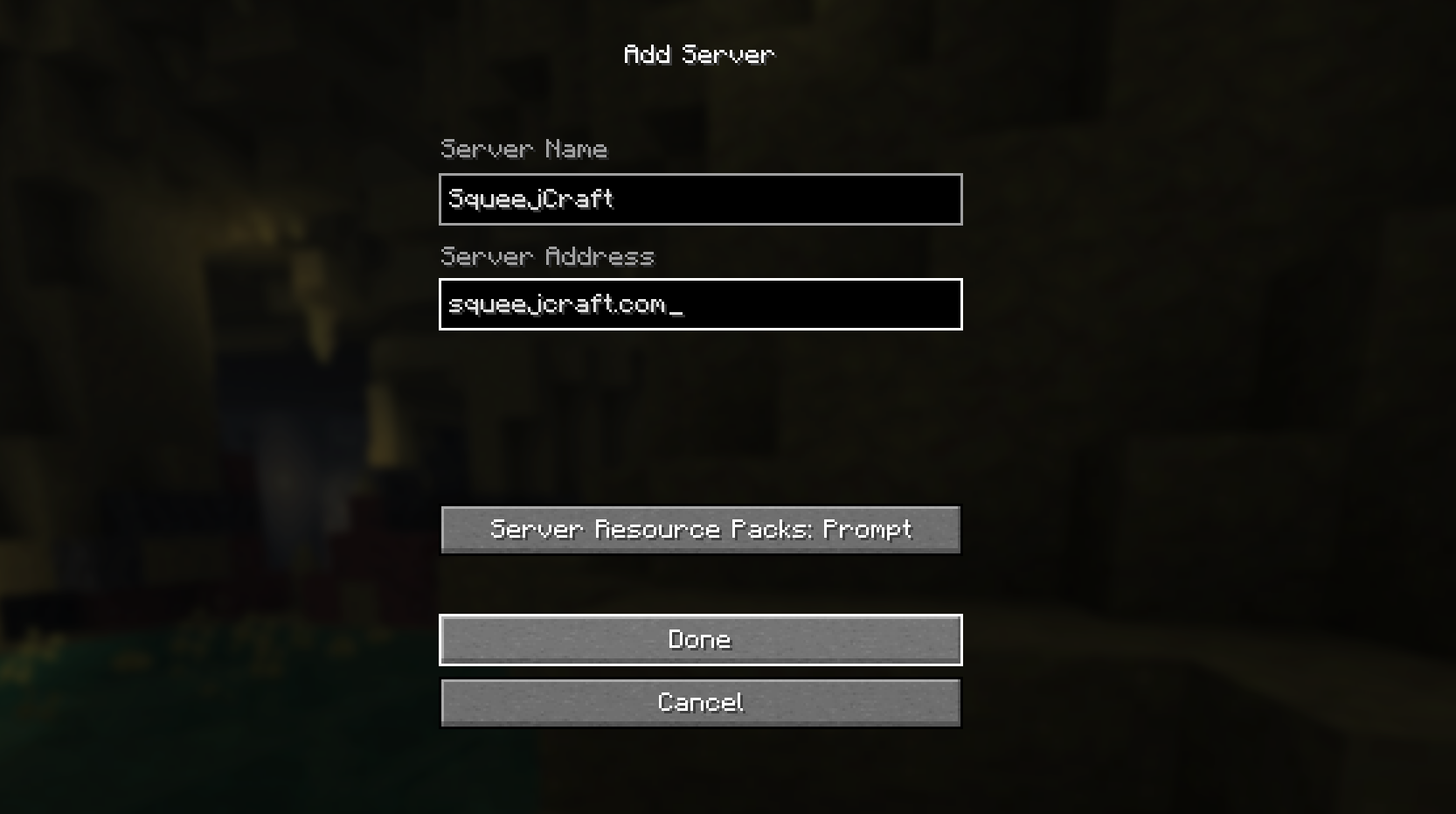
Typing in chat
Communicating with your fellow crafters is as simple as pressing the T key, typing your message and then pressing Enter to send it. For mor information on how chat features works on this server, click here
Multiplayer commands
Many java multiplayer servers such as this one rely on the use of commands to execute certain tasks that normally wouldn't be considered vanilla Minecraft, such as setting a home point. As shown in the categories below, a command is entered in chat, starting with a forward slash ( / ), the name of the command, then pressing enter to execute the command. It's important that you don't include anything before the slash, not even a space, otherwise the command will not work.
When in doubt, type /help
We suggest taking a peak if you're brand new to the server, especially if you're playing on Semi-Vanilla
This is Hard difficulty Minecraft
If you're relatively new to Minecraft, you will likely struggle with hard difficulty. SqueejCraft does offer a few extra tools, such as set homes and player-to-player teleports, however these often take time to execute and come with warm up times and movement cancelations, requiring you to address conflicts as they come with little room to escape via server mechanics. This intentional design helps to preserve the vanilla survival experience, while also providing ways to get around when it's safe to do so. This is raw vanilla Minecraft, with a few additional quality of life improvements. So expect a challenge. If you're brand new to the game, but still like the server, consider watching a few YouTube tutorials on how to properly survive your first few nights. You can always ask the community for help if you ever need some extra assistance.
Click here to watch a Minecraft tutorial video
What to do after logging on for the first time:
On the Pure-Vanilla server, your spawns are random until you find a bed. Don't like your spawn location? Type /respawn.
As for the Semi-Vanilla server, the quickest way to get started is by clicking either of the Random Teleport signs at Spawn. This will teleport you to a random starting location within a 2,500 block radius of the World spawn point. This is a great way to get started in a multiplayer server, as if you launched a brand new game of Minecraft. Alternatively, you can simply walk away from spawn, however you may find most of the land nearby occupied. We suggest grabbing some melons for the road, you can find them behind the Information Board at the Spawn
Click here to read our getting Started guide (Semi-Vanilla)
The Help Menu [ /help ]
For more information about the server and it's features, type /help anytime while in game. Be sure to read through the help menu when you're in a safe location.
Server Rules [ /rules ]
Best to brush up on the rules so you don't run into any issues later, type /rules in game to read about them